iVisa: Online Travel Visas
- 4.1
- Rating
- 1.00M
- Installs
- Free
- Price

 Analysis by App-foxy
When travel paperwork becomes the part of a trip that makes me hesitate, iVisa: Online Travel Visas feels like a practical middle layer between searching government pages and trying to complete everything alone. I found its main value in turning a confusing travel-document question into a guided process, especially when I was unsure whether I needed an ETA, an eVisa, an ESTA, an NZeTA, or another authorization. It is not a replacement for checking official entry rules, but it can make the path easier to understand.
This is a free Travel & Local app from Document Advisor Inc, aimed at helping people apply for travel visas and related documents from a phone. Its current version is 6.1.0, and it is intended for Everyone on devices running at least iOS or Android 10. The app has built a sizeable audience, with more than a million installs and a 4.1 average from roughly 7,800 ratings. Those figures suggest that the service is useful to many travelers, while also leaving room for a realistic question: does the convenience justify using an intermediary instead of applying directly?
What using iVisa feels like in practice
I find the most useful way to judge iVisa is to look at what happens between realizing a trip needs paperwork and feeling ready to submit an application. The guided format can make that first step less daunting, but its value depends on how carefully I check the details it helps me organize. That balance is what makes the day-to-day experience worth considering.
You May Also Like

 Blood Strike: 2.5 Anniversary
Blood Strike’s Loadouts Turn Every Drop Into a Tactical Gamble
A close look at Blood Strike’s custom loadouts: how fast access to signature weapons reshapes its battle royale rhythm, rewards preparation, and narrows the gap between fights.

 Pandora - Music & Podcasts
Pandora’s Music Is Easy to Start, but Harder to Recover
Pandora’s strength is its low-effort path from a seed to a station. Its weak spot is how much confidence it asks you to place in connection, setup, and quiet recovery.

 8 Ball Pool
 Is Built on Rivalries, Rematches, and Routine
A close look at the rivalries, rematches, shared routines, and unanswered safety questions that turn a quick pool match into a persistent mobile community.

 Samsung Music
’s Quiet Strength Is Playing What You Already Own
Its reach comes less from spectacle than from dependable access to a personal library. That simplicity is both the app’s strongest retention engine and its ceiling.

 AccuWeather: Weather Radar
AccuWeather Review: A Quick, Clear Forecast for Everyday Decisions
For everyday plans, the best forecast is the one you can understand quickly. AccuWeather makes rain timing, radar, and local conditions easy to act on, with a few trade-offs.

 Hill Climb Racing
Why Hill Climb Racing Still Turns Crashes Into One More Run
A tiny car, a bumpy hill and one more upgrade: Hill Climb Racing keeps resurfacing because its simple chaos makes every near-miss feel personal.
More From Our News Desk



A clearer starting point than a general web search
The strongest part of the experience is the way it focuses the first decision. Travel authorization terminology is easy to mix up. A visitor may search for a “visa” when the destination actually uses an electronic travel authorization, or assume that one document works for every passport. A guided travel-document app can reduce that initial uncertainty by making the destination and traveler details the center of the process rather than leaving the user to interpret several unrelated pages.
I especially value this when planning a trip with a short connection between booking and departure. Instead of opening many browser tabs and trying to decide which government page applies, I can begin with the trip itself and work forward. That does not remove my responsibility to provide correct information, but it makes the research stage less scattered. For occasional travelers, that reduction in mental load is more important than a long list of extra tools.
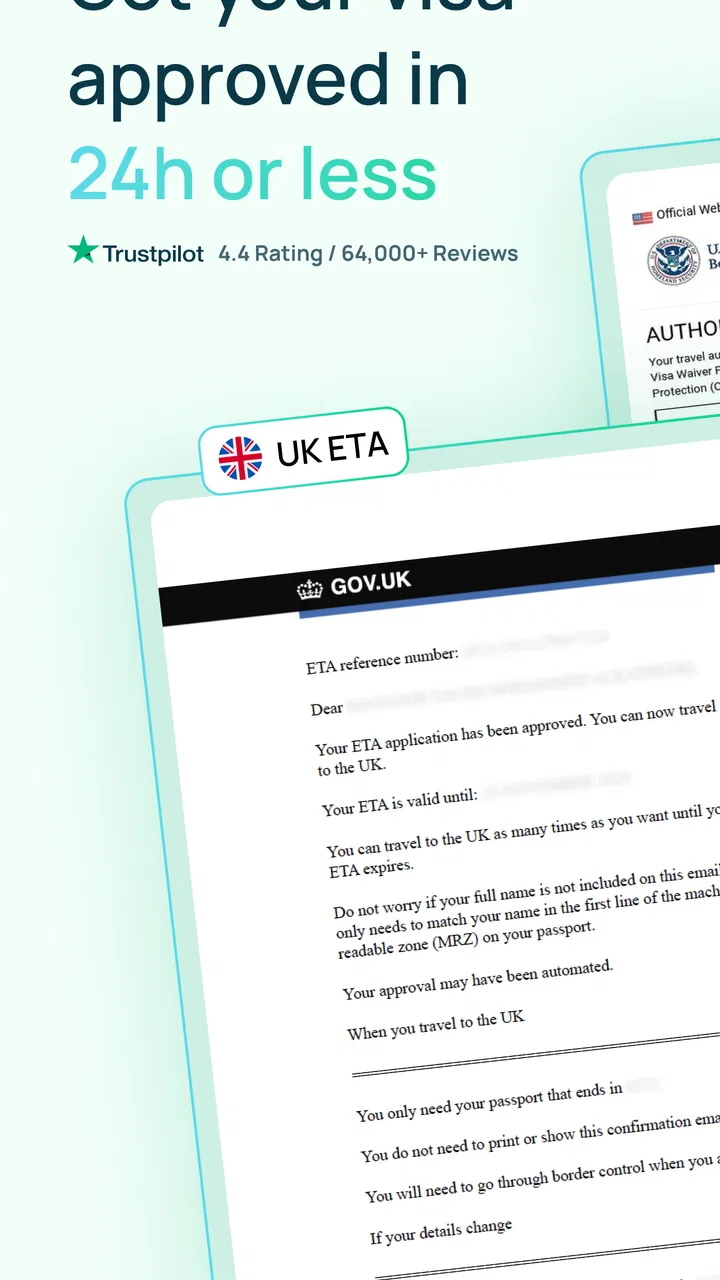
The app’s focus is also broader than one familiar authorization. It covers travel documents such as ETA, eVisa, ESTA, and NZeTA, along with other options. That range matters because the correct route depends on both the destination and the traveler’s nationality. I would not treat the app as a universal shortcut, but I do see it as a useful place to organize the question before completing an application.
Why the guided approach helps with real trip planning
A realistic example is a family preparing for an international holiday. One adult may already know that an ESTA is relevant, while another family member has a different passport and needs a different document. Applying the same assumption to everyone could create a serious problem. A guided service encourages the traveler to consider each person’s situation separately, which is a small but meaningful improvement over copying the first answer found in a search result.
I also like the idea of using it early, before flights and accommodation become difficult to change. The useful workflow is not “download the app at the airport and hope for the best.” It is to identify the document requirement while the itinerary is still flexible, gather passport information carefully, review every answer, and keep the resulting confirmation accessible. Used that way, the app supports planning rather than becoming an emergency fix.
Another practical advantage is concentration. When I handle a document application in a dedicated travel app, I am less likely to lose the relevant instructions among unrelated browser tabs, promotional pages, and old search results. That does not guarantee a successful application, but it creates a more deliberate moment for checking names, passport numbers, dates, and destination details.
The convenience comes with an important trade-off
The app is free to download, but that should not be confused with every possible application service being free. Travel-document intermediaries may charge for assistance or processing, while official government channels can have their own fees. Before submitting anything, I would carefully review the final cost, identify who is handling the application, and compare it with the destination’s official process. This is the single most important habit to develop when using an app of this kind.
That comparison is also where iVisa may not be the best choice for everyone. If I already know the exact government website, understand the eligibility rules, and am comfortable completing forms myself, going direct can be simpler and may avoid an intermediary charge. The app’s value is strongest when clarity and convenience matter more than taking the most stripped-down route.
I would also avoid assuming that a completed form means permission to enter. An electronic authorization or visa is only one part of border requirements. Passport validity, travel purpose, onward arrangements, health rules, and changes in immigration policy can still matter. The app can help with the document workflow, but it cannot replace the final responsibility of checking current official requirements.
Details that deserve extra care before submission
Travel applications are unusually unforgiving of small mistakes. I would enter names exactly as they appear on the passport, including the order and spelling, and I would avoid relying on memory for passport numbers or expiration dates. A useful habit is to keep the physical passport beside the phone and review the completed form from the beginning rather than only checking the last screen.
I would also separate “where I am applying from” from “where I am traveling to.” Those details can be easy to confuse when a trip includes several countries. If the itinerary contains a transit stop, I would check whether that stop creates a separate requirement instead of assuming the final destination is the only relevant country.
For families, I would prepare a small checklist for every traveler rather than submitting everyone in one rushed session. Confirm each passport, birth detail, nationality, and travel date independently. This takes longer, but it prevents the common mistake of carrying one traveler’s answer into another person’s application. The app is helpful here as a structured workspace, but careful preparation still does most of the work.
How it compares with applying directly
The usual alternative is the official immigration or government website. That route has a clear advantage: it is the authoritative source, and it is the place I would use to verify current rules, costs, processing expectations, and eligibility. For experienced travelers, the direct route may be all they need. It can also be preferable when a case is unusual, such as a complex nationality history, a long stay, a work purpose, or a previous immigration issue.
iVisa is more appealing at the discovery stage. Its purpose is to make the process easier to navigate across several types of travel documents, while a government website usually focuses on its own country and document system. That difference can save time for someone who does not know the correct terminology. The trade-off is that the intermediary layer requires more scrutiny around pricing, data entry, and the exact nature of the service being purchased.
Compared with a travel agent, the app is more self-directed. I do not expect the same personal conversation or itinerary-level advice that a good human agent can provide. In return, it is more convenient for a straightforward document request that I want to handle from my phone. Compared with a generic search engine, it is more focused, but I would still use official sources as the final reference rather than treating any single app as the ultimate authority.
Who will get the most from it
I think the best audience is the occasional international traveler who is unsure which travel authorization applies and wants a guided starting point. It is also useful for people coordinating documents for several travelers, particularly when different passports may lead to different requirements. Someone arranging a trip under time pressure may appreciate having the process gathered in one travel-oriented place, provided there is still enough time to verify the result.
It can also suit travelers who are comfortable using a phone for important paperwork but do not want to interpret immigration terminology alone. The Everyone age rating makes it broadly accessible, although younger users should still involve a responsible adult when passport information, payment details, or international travel decisions are involved.
I would recommend skipping it when the application is unusual or legally sensitive. If the trip involves employment, study, extended residence, a complicated immigration history, or uncertainty about eligibility, I would start with the relevant government authority or qualified professional instead. The app is best for routine travel-document needs, not for resolving a difficult immigration case.
Privacy and preparation should be part of the decision
Any visa-related workflow involves sensitive personal information. Before I begin, I would make sure I am using a private connection, keep the phone updated, and avoid entering passport details while connected to an unfamiliar public network. I would also read the screens carefully before submitting, especially where the service describes what it will do on my behalf.
I would save confirmation details in a secure place and keep an offline copy when possible. Depending on the destination, a border officer may ask for evidence of authorization, and relying on a live mobile connection at the airport is unnecessary risk. I would not store passport images casually in a shared photo folder or forward application details through an unsecured group chat.
These are not complaints unique to iVisa; they are the practical costs of using a phone-based document service. The app makes the process more approachable, but convenience should never lead me to rush through identity information. In this category, accuracy and secure handling matter more than a polished interface.
What I would check before paying or submitting
My preferred routine is simple. First, I identify the destination, passport nationality, purpose of travel, and planned dates. Next, I use the app to see which document path appears relevant. Then I compare that result with the destination’s official immigration information. Only after those checks would I continue with the application.
At the review stage, I would look for the total amount, the service being provided, the expected communication method, and the spelling of every personal detail. I would take a screenshot or save a receipt where appropriate, but I would not assume that a receipt is the same as an approved authorization. Finally, I would check the document again before departure, because travel rules and personal circumstances can change between application and flight.
This workflow reveals the app’s proper role. It is not a magic approval button, and it should not be used as permission to stop researching. It is a convenience tool that can help a traveler move from uncertainty to an organized application, while the traveler remains responsible for verification.
My verdict after weighing the convenience
iVisa: Online Travel Visas is most convincing as a guided travel-document assistant, not as a substitute for official immigration advice. Its focus on several common electronic travel documents gives it a useful place in the trip-planning process, particularly for people who do not know where to begin. The free app format, broad accessibility, and established user base make it easy to consider when the paperwork feels more confusing than it should.
My reservation is equally clear: I would never submit sensitive information or pay for a service without comparing the route with the official source first. Travelers who already understand the process may prefer applying directly, and anyone with a complex case should look for authoritative or professional help. That limitation does not make the app unhelpful; it defines when it should be used.
For a routine trip, I would recommend iVisa to a friend who wants a more organized starting point and is willing to double-check the final requirements. I would tell that friend to keep the passport nearby, review every field twice, compare the total cost, and save the final confirmation securely. Used with that level of care, the app can remove much of the avoidable confusion from travel paperwork without pretending to replace the authorities who make the actual entry decision.
FAQs for iVisa: Online Travel Visas
01What services does iVisa offer?
iVisa provides a streamlined process for obtaining travel visas online. Users can apply for visas to numerous countries without the need to visit embassies or consulates. The app also offers additional services such as passport photos, passport renewals, and travel document assistance to ensure a hassle-free travel experience.
02How secure is my personal information with iVisa?
iVisa prioritizes user privacy and employs robust security measures to protect personal data. The platform uses advanced encryption technologies to ensure that your information is safe from unauthorized access. Additionally, iVisa complies with international data protection regulations, offering users peace of mind when submitting sensitive documents.
03What is the typical processing time for a visa application through iVisa?
Processing times can vary depending on the destination country and type of visa. Generally, iVisa offers standard, rush, and super rush processing options. Standard processing takes a few days, while rush and super rush options expedite the process for travelers with tight schedules. Always check specific country requirements on the app for accurate timelines.
04Are there any additional fees when using iVisa?
iVisa charges a service fee for processing visa applications, which is separate from the government fees required by the destination country. The total cost will be displayed before submission, ensuring transparency. Users should review the fee breakdown carefully to understand all charges involved in their application process.
05Can I track my visa application status on iVisa?
Yes, iVisa allows users to track the status of their visa applications directly through the app. After submitting your application, you will receive updates via email. Additionally, you can log into your iVisa account to view real-time status updates and get notifications about any changes or required actions.
Pros
- User-friendly interface for easy navigation.
- Quick processing time for visa applications.
- Supports multiple languages for global users.
- Secure payment options ensure transaction safety.
- Comprehensive FAQ section for common queries.
Cons
- Limited countries supported for visa services.
- Requires stable internet for optimal performance.
- Some users report occasional app crashes.
- No offline mode for application tracking.
- Customer support response can be slow.

iVisa: Online Travel Visas
Gallery